
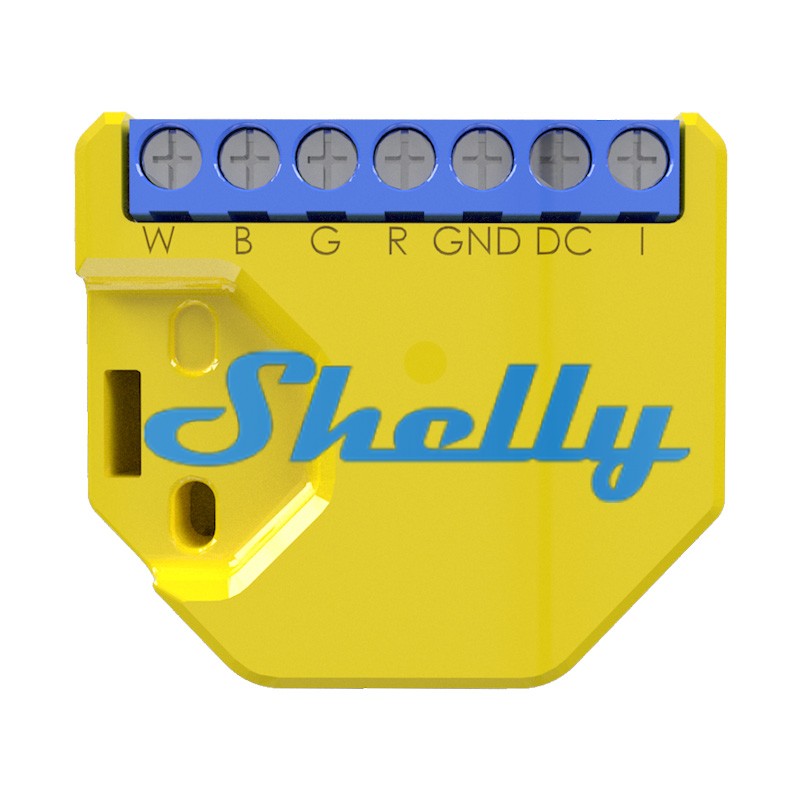
In Questa recensione vi voglio presentare lo shelly RGBW2 che ho comprato per sostituire un “marchingenio” che ho creato io con un nodemcu per accendere una striscia led RGB.
Questo shelly è uno dei modelli che mi è piaciuto di più, permette di dimmerare, cambiare colore e mettere effetti, lo si può comandare dall’app, dalla sua pagina, Google Home, Alexa e da Home Assistant.
Questo shelly RGBW2 è il più funzionale controller per striscia led che ho trovato perchè ha MQTT nativo, invece gli altri bisogna modificarli e renderli compatibili e alcune volte non è neanche facile.
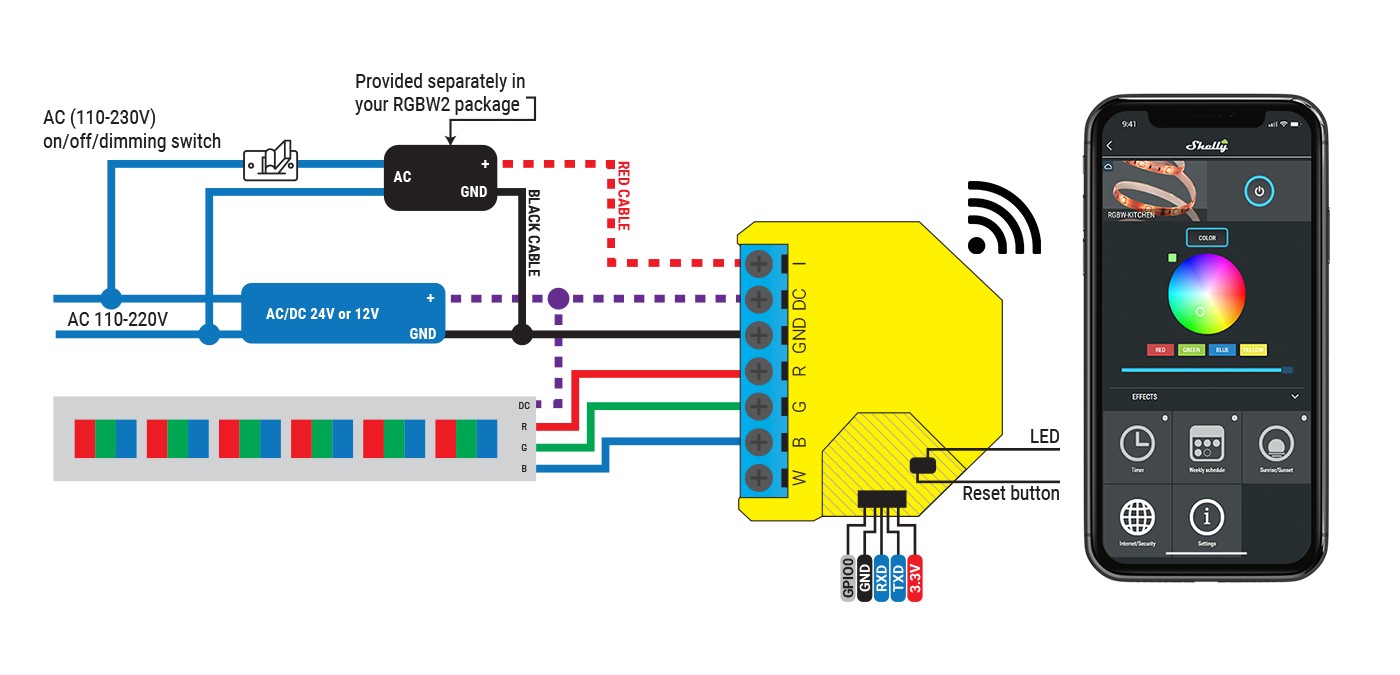
Per collegarlo vi lascio qui sotto tutti gli schemi possibili e nella scatola trovate un dispositivo che permette il collegamento come da schemi del pulsante o switch a 220V:
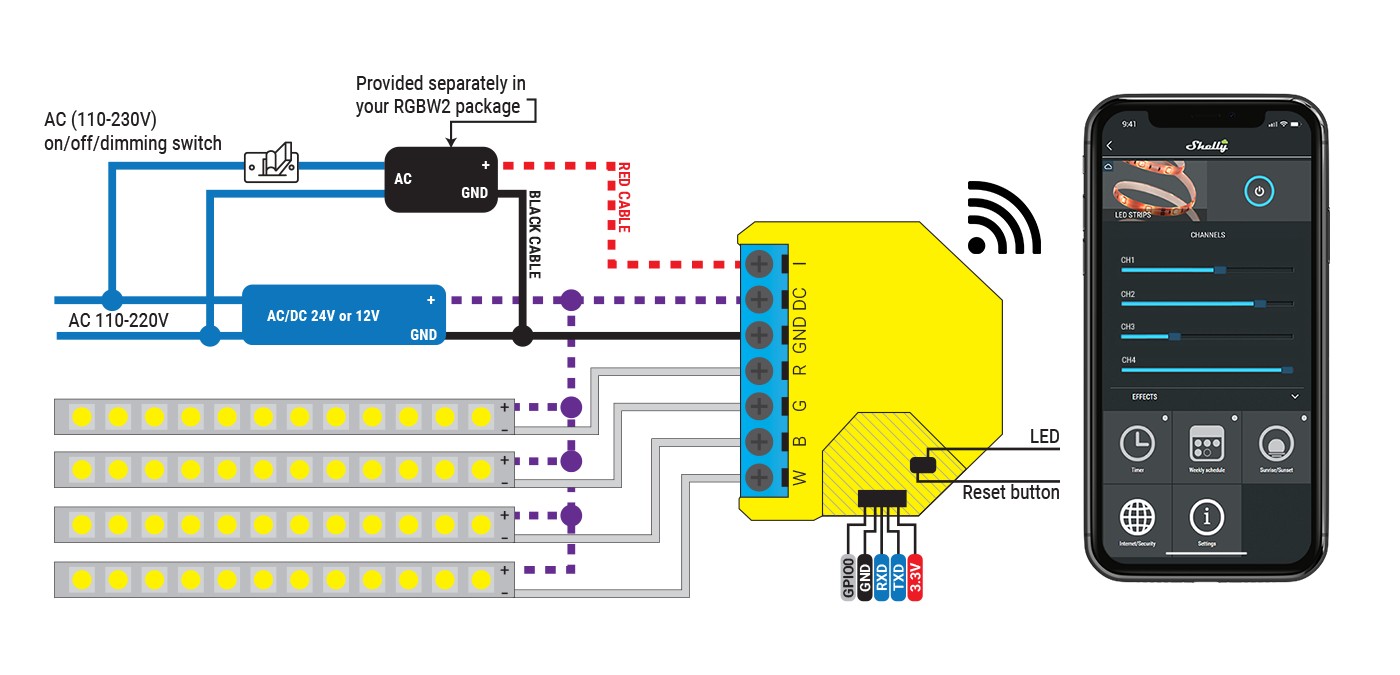
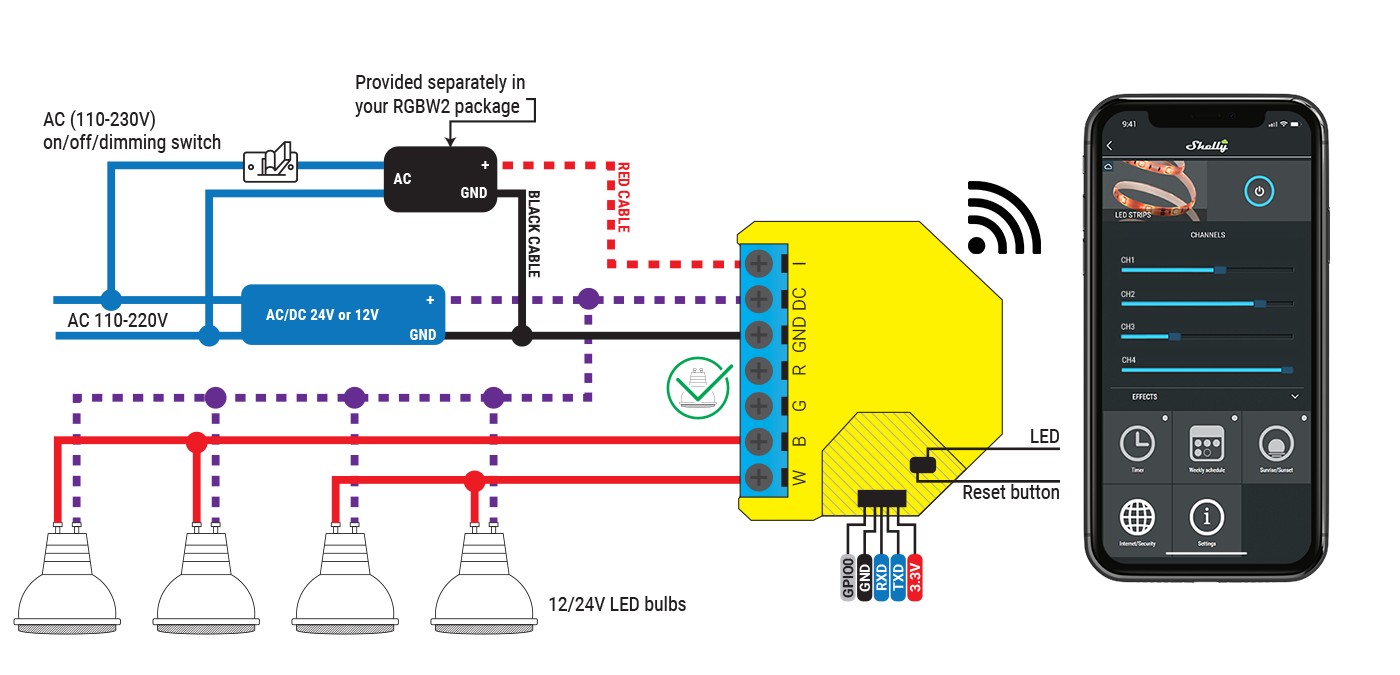
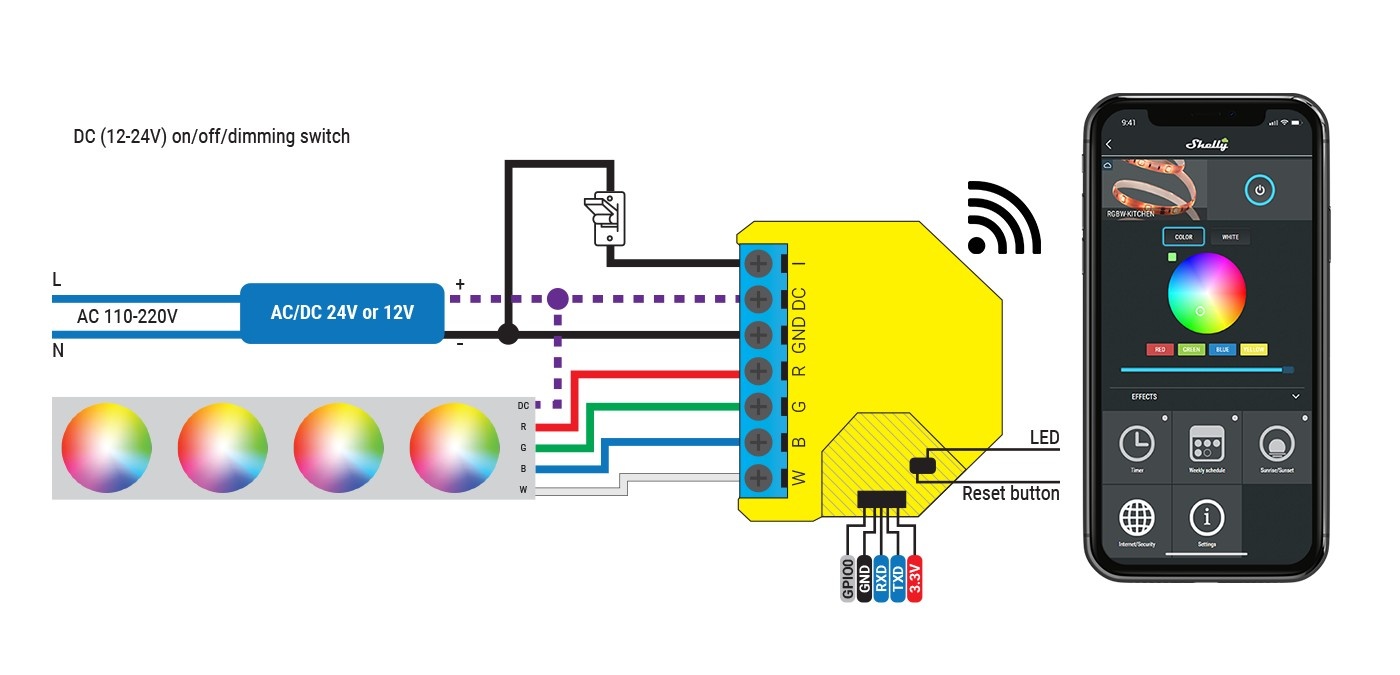
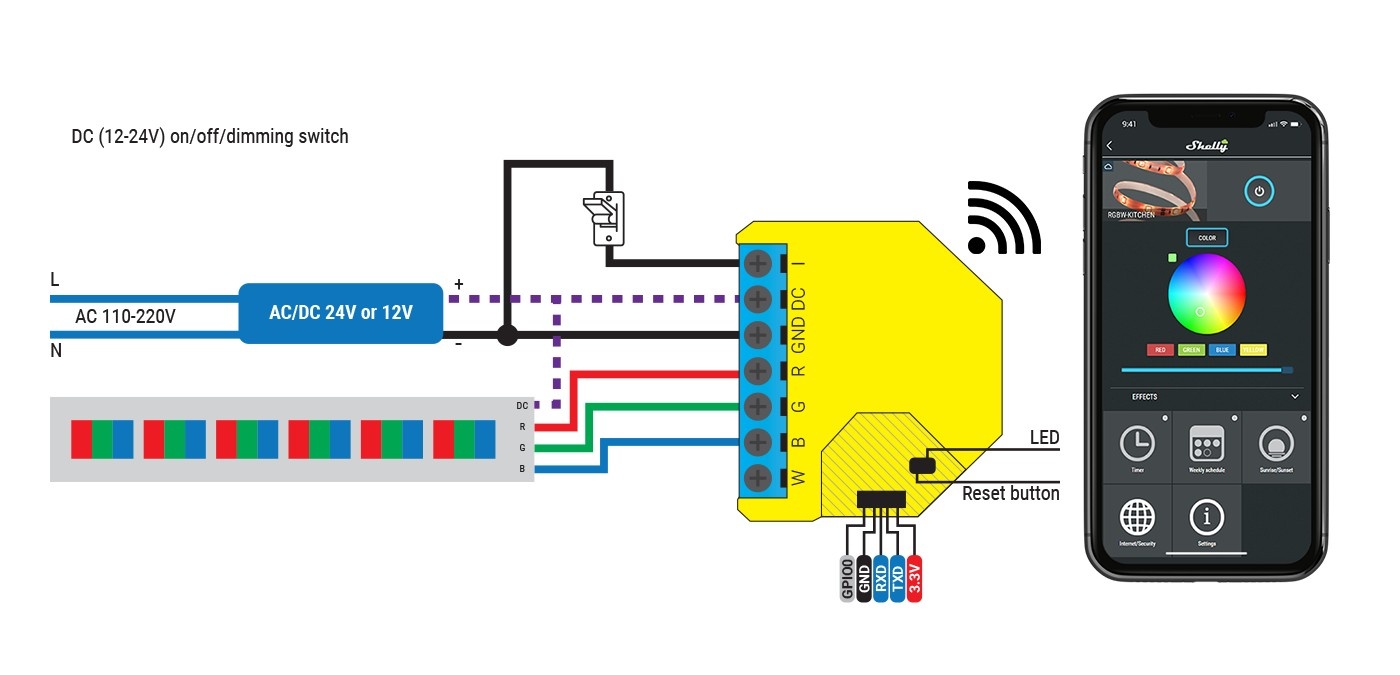
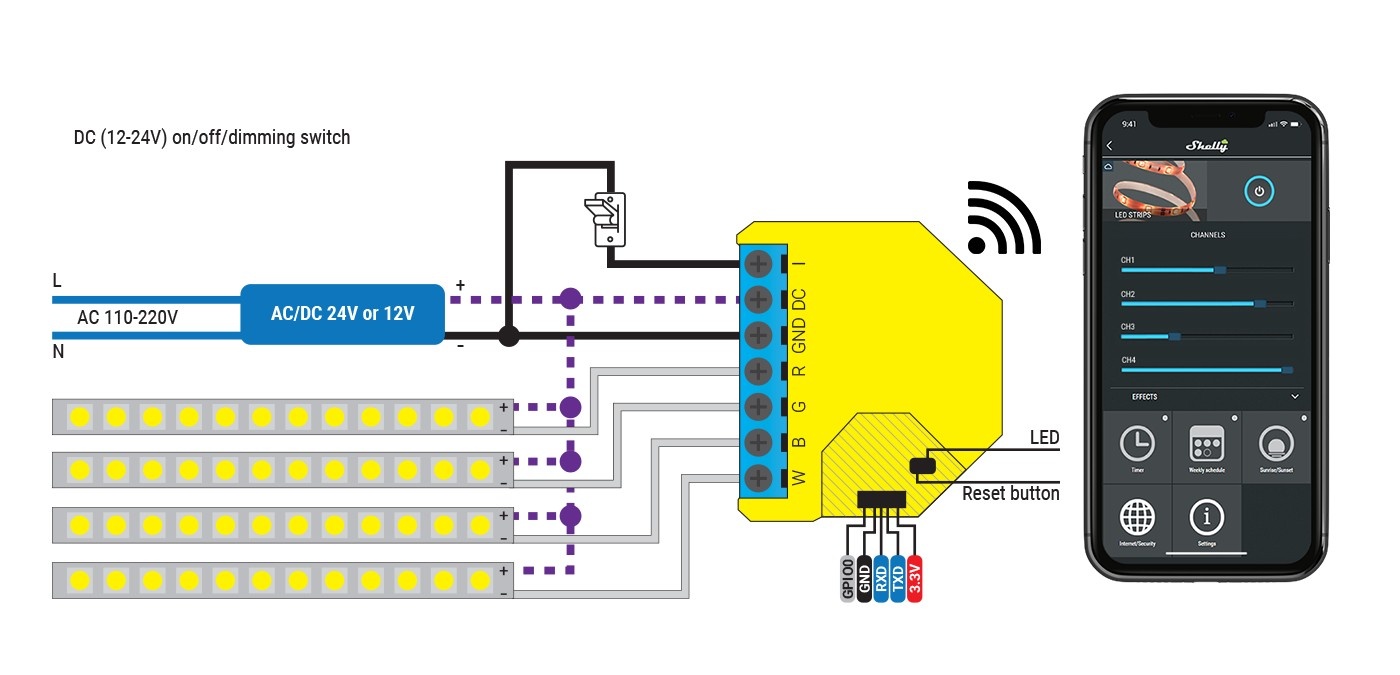
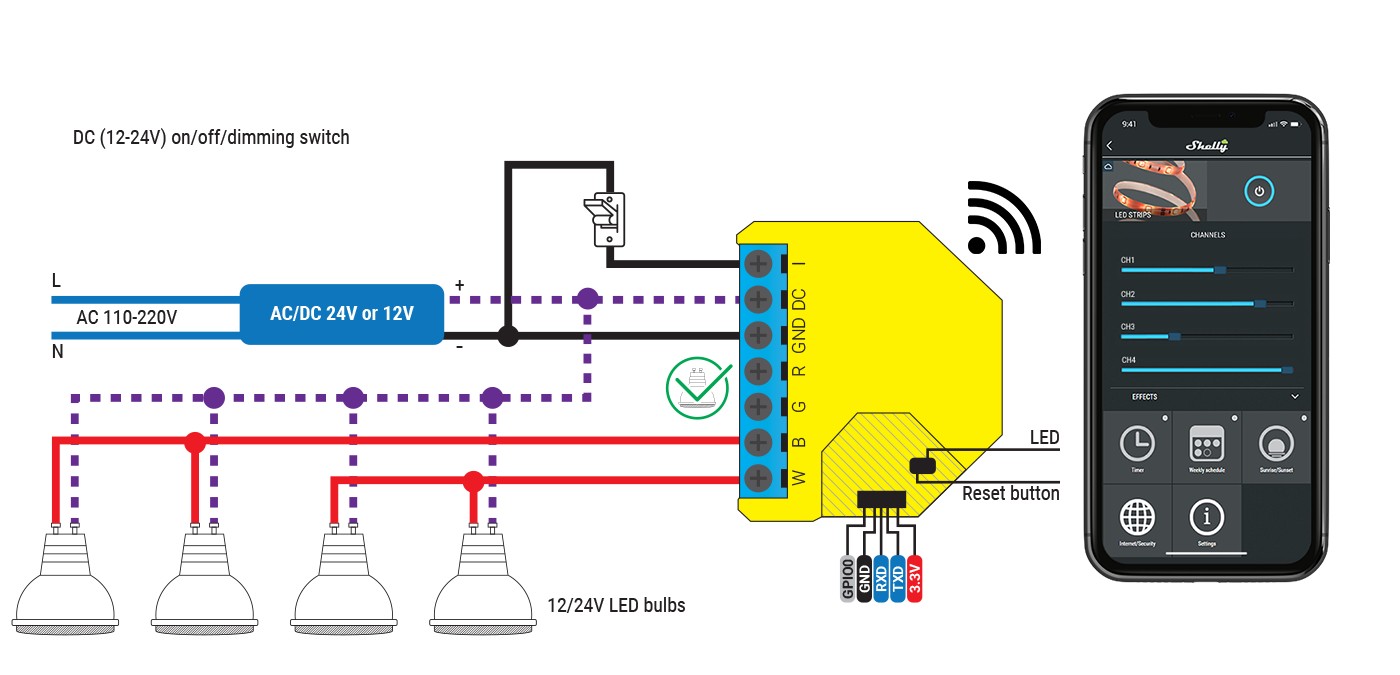
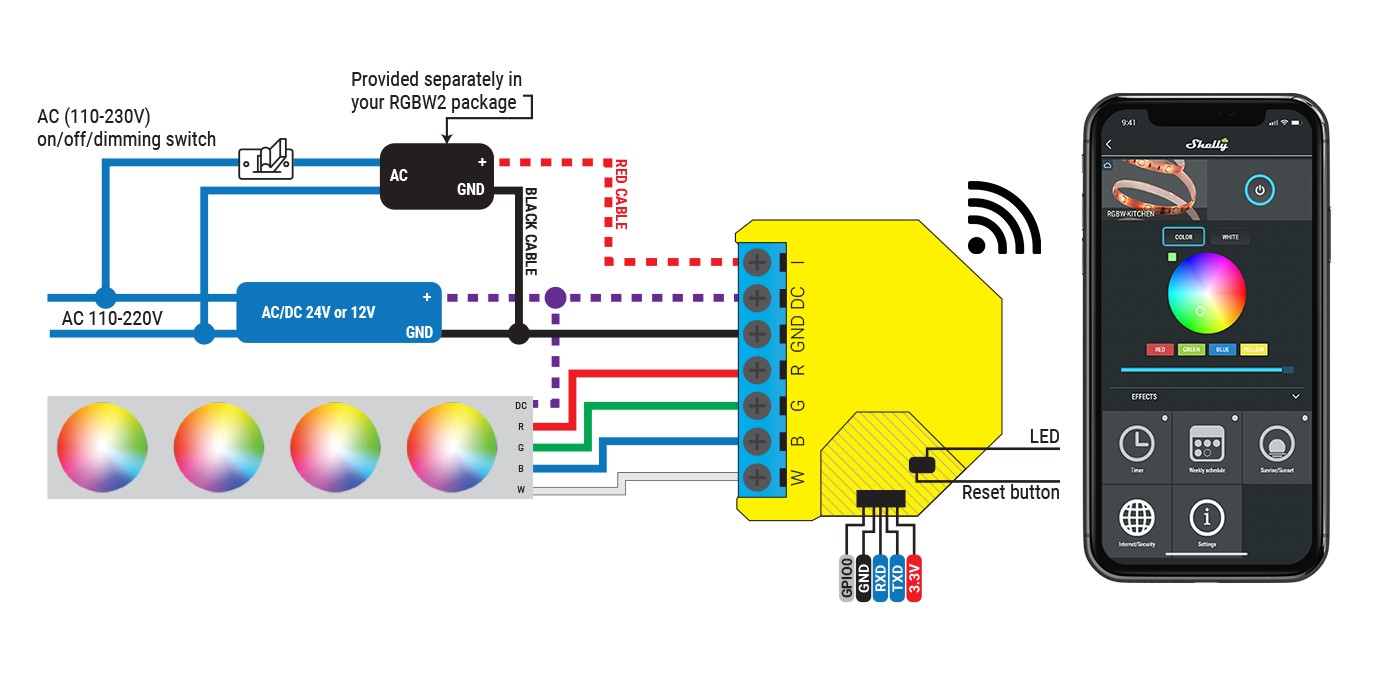
Per collegarlo o lo si fa dall’app o si accende e ci si collega alla su pagina andando al su ip (192.168.33.3), meglio accoppiare con l’app che fa fare tutta la procedura giusta senza problemi.
Per collegarlo a Home Assistant come al solito bisogna attivare MQTT e disattivare il cloud, questa è la configurazione che serve, una per RGB/RGBW e l’altra per White:
light:
  - platform: mqtt
    schema: template
    name: "Striscia Led RGB"
    command_topic: "shellies/shellyrgbw2-XXXXDF/color/0/set"
    state_topic: "shellies/shellyrgbw2-XXXXDF/color/0/status"
    effect_list:
      - 0
      - 1
      - 2
      - 3
      - 4
      - 5
      - 6
    command_on_template: >
      {"turn": "on"
      {%- if brightness is defined -%}
      , "gain": {{brightness | float | multiply(0.3922) | round(0)}}
      {%- endif -%}
      {%- if red is defined and green is defined and blue is defined -%}
      , "red": {{ red }}, "green": {{ green }}, "blue": {{ blue }}
      {%- endif -%}
      {%- if white_value is defined -%}
      , "white": {{ white_value }}
      {%- endif -%}
      {%- if effect is defined -%}
      , "effect": {{ effect }}
      {%- endif -%}
      }
    command_off_template: '{"turn":"off"}'
    state_template: "{% if value_json.ison %}on{% else %}off{% endif %}"
    brightness_template: "{{ value_json.gain | float | multiply(2.55) | round(0) }}"
    red_template: '{{ value_json.red }}'
    green_template: '{{ value_json.green }}'
    blue_template: '{{ value_json.blue }}'
    white_value_template: '{{ value_json.white }}'
    effect_template: '{{ value_json.effect }}'
    qos: 2
– platform: mqtt
schema: template
name: "RGBW2 Channel 1"
command_topic: "shellies/shellyrgbw2-XXXXDF/white/0/set"
state_topic: "shellies/shellyrgbw2-XXXXDF/white/0/status"
command_on_template:
{"turn": "on"
{%- if brightness is defined -%}
, "brightness": {{brightness | float | multiply(0.3922) | round(0)}}
{%- endif -%}
{%- if red is defined and green is defined and blue is defined -%}
, "red": {{ red }}, "green": {{ green }}, "blue": {{ blue }}
{%- endif -%}
{%- if white_value is defined -%}
, "white": {{ white_value }}
{%- endif -%}
{%- if effect is defined -%}
, "effect": {{ effect }}
{%- endif -%}
}
command_off_template: ‘{"turn":"off"}’
state_template: "{% if value_json.ison %}on{% else %}off{% endif %}"
brightness_template: "{{ value_json.brightness | float | multiply(2.55) | round(0) }}"
qos: 2
– platform: mqtt
schema: template
name: "RGBW2 Channel 2"
command_topic: "shellies/shellyrgbw2-XXXXDF/white/1/set"
state_topic: "shellies/shellyrgbw2-XXXXDF/white/1/status"
command_on_template:
{"turn": "on"
{%- if brightness is defined -%}
, "brightness": {{brightness | float | multiply(0.3922) | round(0)}}
{%- endif -%}
{%- if red is defined and green is defined and blue is defined -%}
, "red": {{ red }}, "green": {{ green }}, "blue": {{ blue }}
{%- endif -%}
{%- if white_value is defined -%}
, "white": {{ white_value }}
{%- endif -%}
{%- if effect is defined -%}
, "effect": {{ effect }}
{%- endif -%}
}
command_off_template: ‘{"turn":"off"}’
state_template: "{% if value_json.ison %}on{% else %}off{% endif %}"
brightness_template: "{{ value_json.brightness | float | multiply(2.55) | round(0) }}"
qos: 2
– platform: mqtt
schema: template
name: "RGBW2 Channel 3"
command_topic: "shellies/shellyrgbw2-XXXXDF/white/2/set"
state_topic: "shellies/shellyrgbw2-XXXXDF/white/2/status"
command_on_template:
{"turn": "on"
{%- if brightness is defined -%}
, "brightness": {{brightness | float | multiply(0.3922) | round(0)}}
{%- endif -%}
{%- if red is defined and green is defined and blue is defined -%}
, "red": {{ red }}, "green": {{ green }}, "blue": {{ blue }}
{%- endif -%}
{%- if white_value is defined -%}
, "white": {{ white_value }}
{%- endif -%}
{%- if effect is defined -%}
, "effect": {{ effect }}
{%- endif -%}
}
command_off_template: ‘{"turn":"off"}’
state_template: "{% if value_json.ison %}on{% else %}off{% endif %}"
brightness_template: "{{ value_json.brightness | float | multiply(2.55) | round(0) }}"
qos: 2
– platform: mqtt
schema: template
name: "RGBW2 Channel 4"
command_topic: "shellies/shellyrgbw2-XXXXDF/white/3/set"
state_topic: "shellies/shellyrgbw2-XXXXDF/white/3/status"
command_on_template:
{"turn": "on"
{%- if brightness is defined -%}
, "brightness": {{brightness | float | multiply(0.3922) | round(0)}}
{%- endif -%}
{%- if red is defined and green is defined and blue is defined -%}
, "red": {{ red }}, "green": {{ green }}, "blue": {{ blue }}
{%- endif -%}
{%- if white_value is defined -%}
, "white": {{ white_value }}
{%- endif -%}
{%- if effect is defined -%}
, "effect": {{ effect }}
{%- endif -%}
}
command_off_template: ‘{"turn":"off"}’
state_template: "{% if value_json.ison %}on{% else %}off{% endif %}"
brightness_template: "{{ value_json.brightness | float | multiply(2.55) | round(0) }}"
qos: 2
  – platform: group
    name: "All RGBW2 Lights"
    entities:
      – light.RGBW2_Channel_4
      – light.RGBW2_Channel_3
      – light.RGBW2_Channel_2
      – light.RGBW2_Channel_1
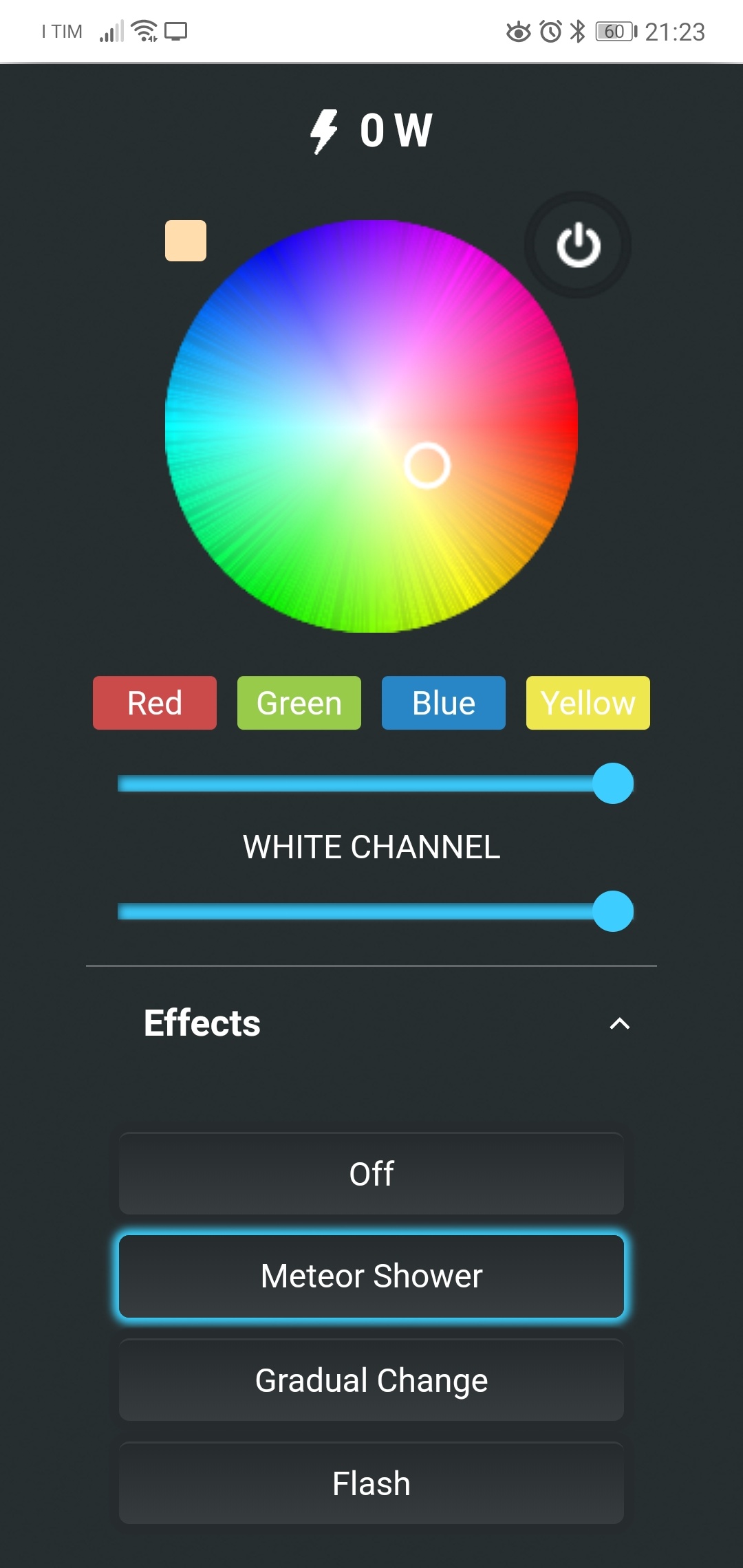
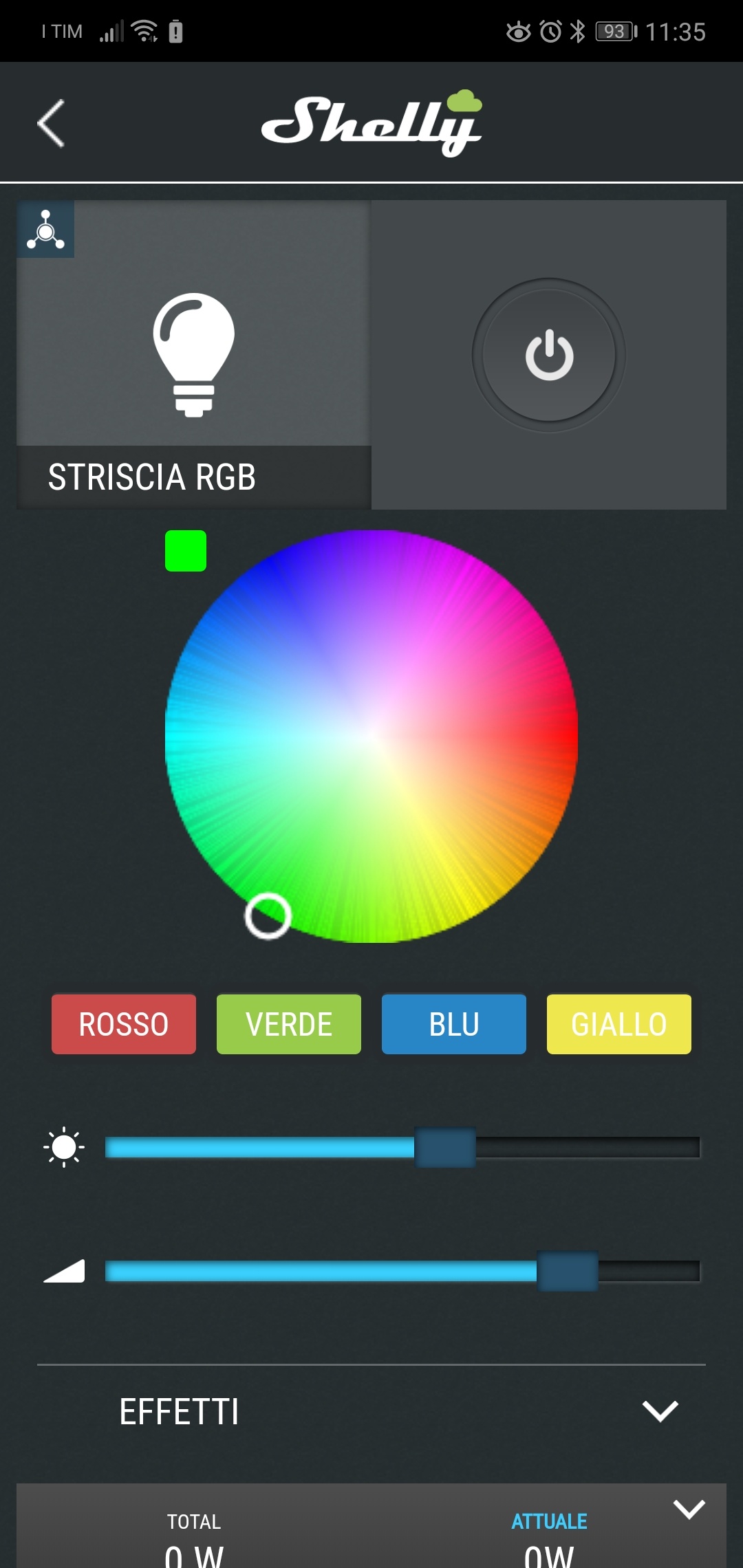
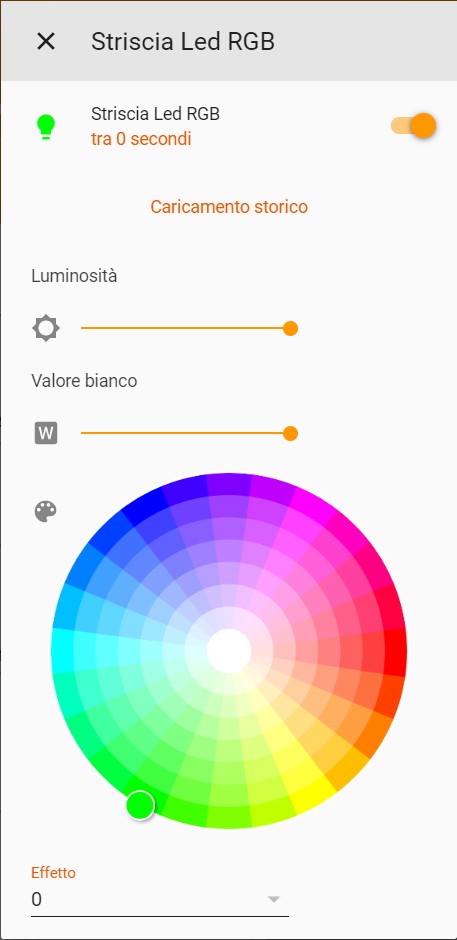
Questi sono i comandi dalla sua pagina, dall’app e Home Assistant:
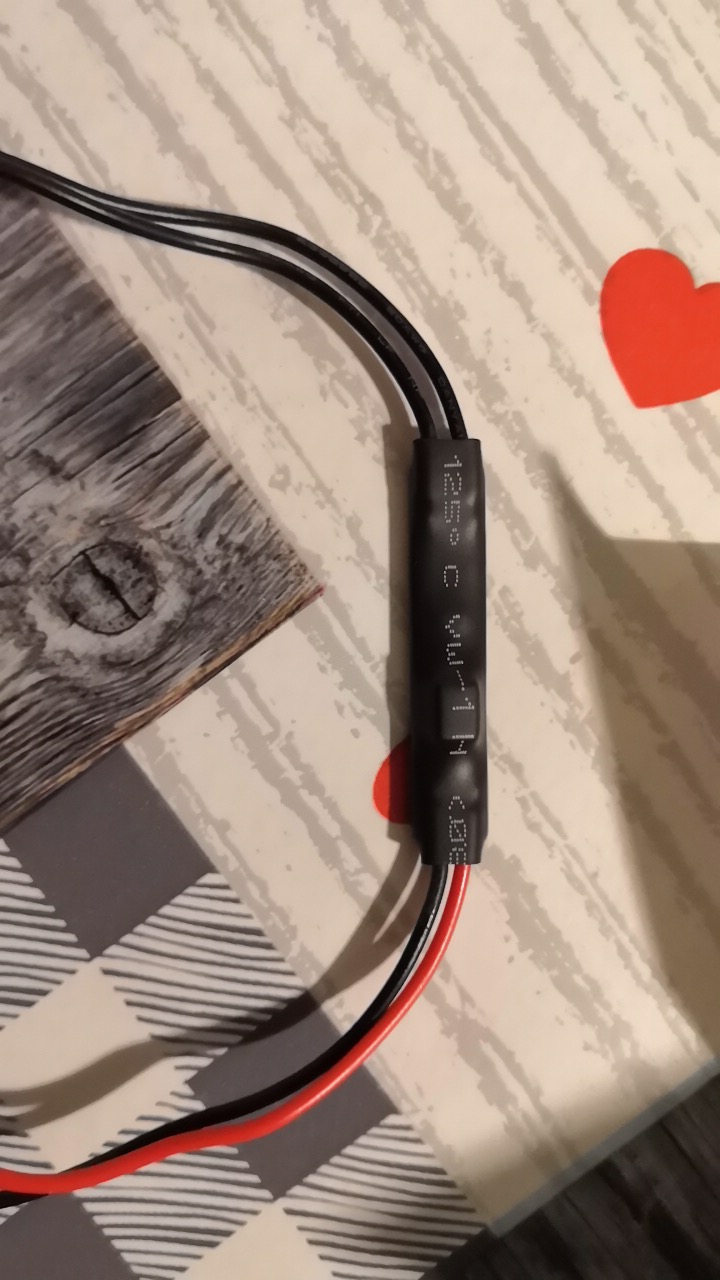
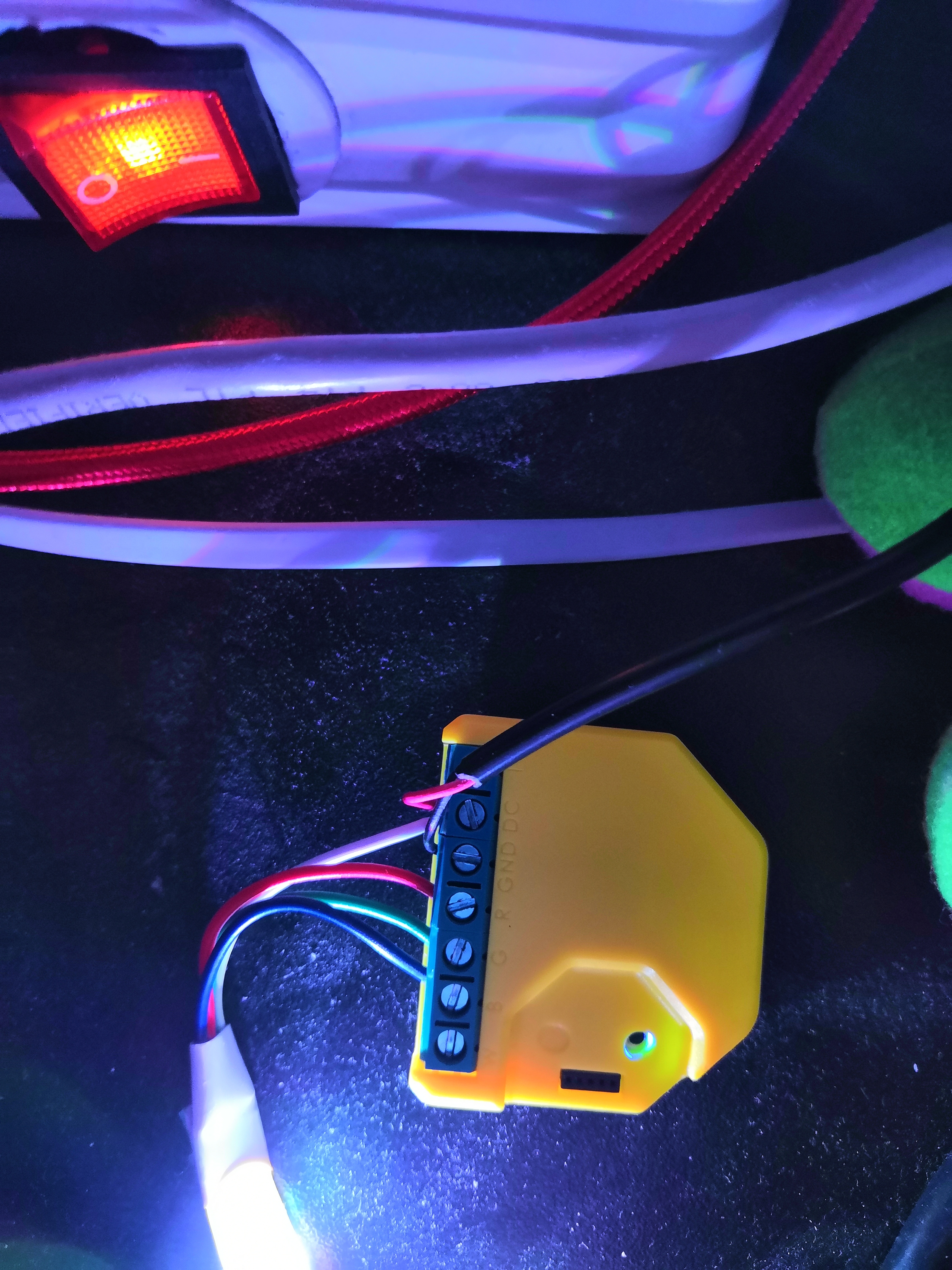
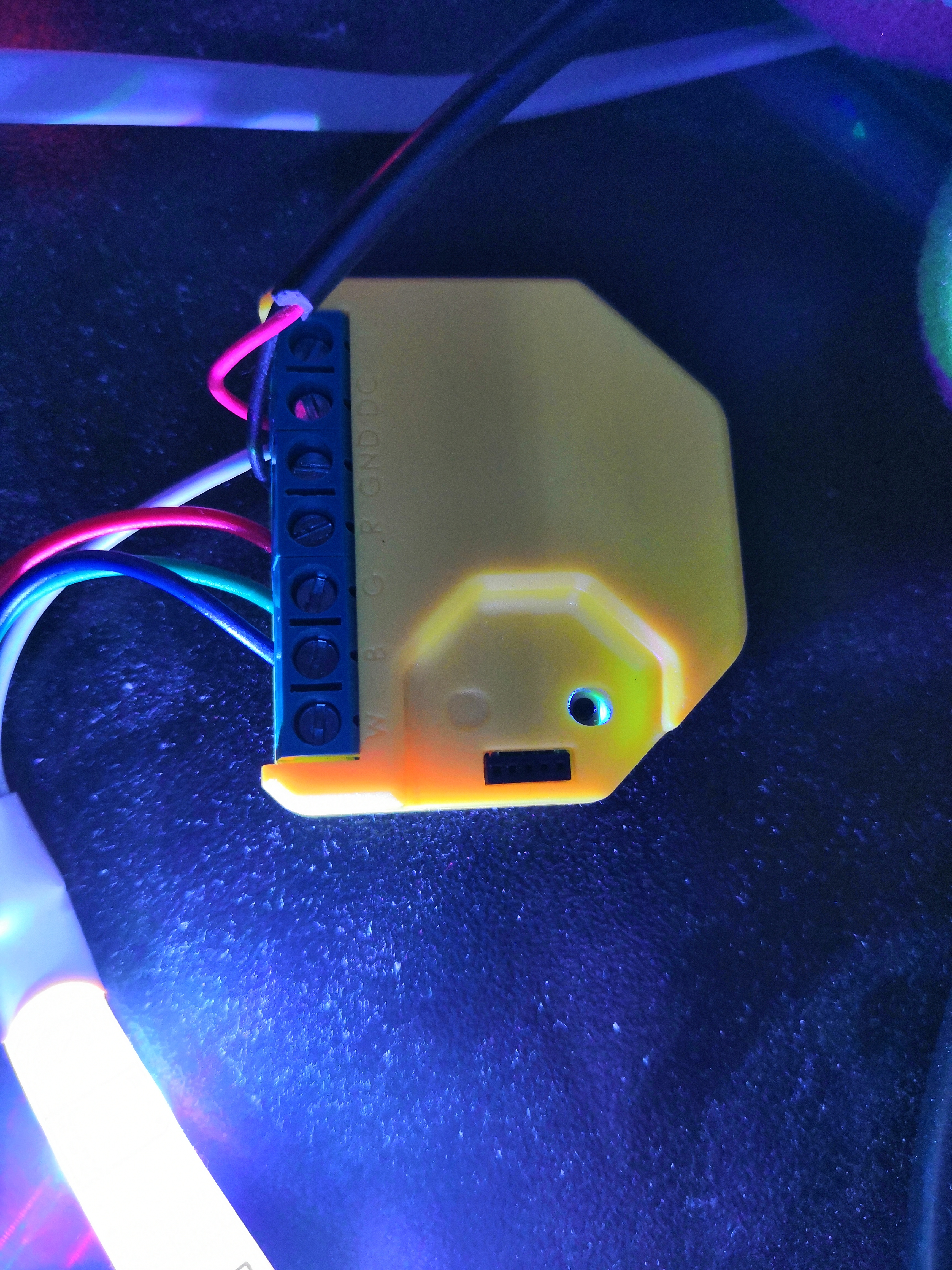
Qui vi lascio le immagini di come io ho collegato il tutto:
Gruppo Telegram: group.homeassistantitalia.it

Se volete avere notifiche sui post seguite: https://t.me/itchsblog

Acquistate con il mio link Amazon: https://amzn.to/2UTiFzL